
Video proofing is the last step of every video job. You send the client a cut, they tell you what to change, you send the next cut, and at some point they say yes. The work is done when they say yes, not when you export.
I shoot aerial footage for construction and real estate companies, and for years this step was the messiest part of the job. Here is what goes wrong, and how I do it now.
What video proofing is, and why it goes wrong in email
Proofing a video is the same job as proofing a print piece: the client checks the work and marks what needs to change. The difference is that a video has a clock. Every note has a moment attached to it, and email strips the moment off.
So the notes come back as "the shot of the lot entrance feels long" and "there is a car in the one around the two minute mark". You scrub for the car. You guess which shot of the entrance. You send cut two, and the client replies to the email with cut one still attached, and now there are two threads. Nobody is doing anything wrong. Email just has nowhere to put a note that belongs to 1:52.
A proofing setup needs three things: a way to show the client the video without putting it anywhere public, a way for them to leave notes on the video itself, and a clear point where they sign off. The rest of this is those three things.
Share a video privately
The first question is where the cut lives while it is being reviewed. It is not finished, it is not yours to publish, and it is often not the client's to publish either.
An unlisted YouTube link is the free answer, and it is not a private one. Anyone who has the link can watch it and pass it on. A cloud drive link is private, but the client gets a file preview with no place to leave a note, and the link usually keeps working long after the job is done.
What you want is a private video link: a page that plays the video in the browser, with nothing to download, that you control after you have sent it.
Send a private video link that stops working
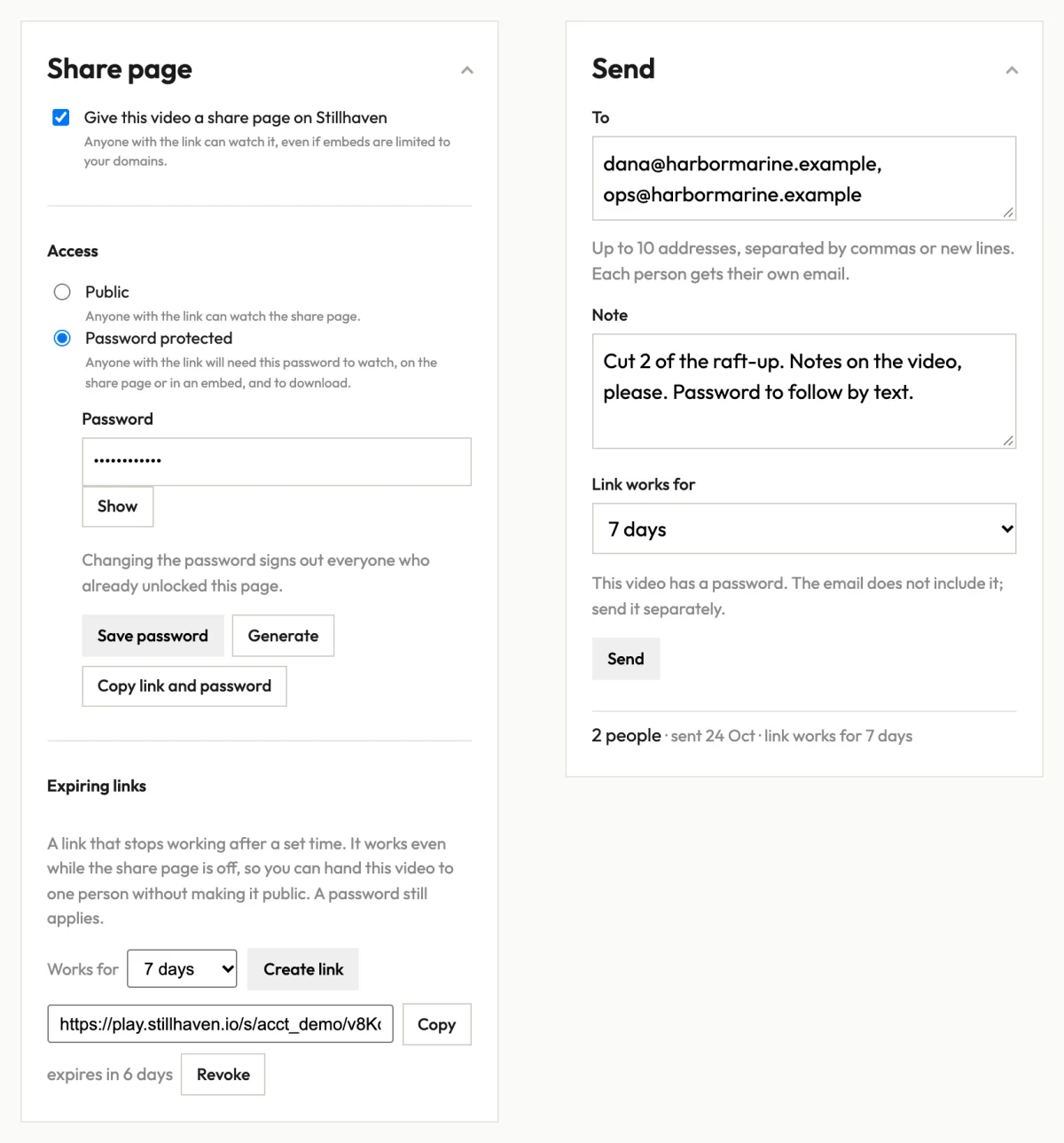
In Stillhaven, every video has a share page, and you can send a link to it that expires. Choose anything from six hours to thirty days, and revoke it sooner if the job changes. The link opens the video even when the share page is switched off, so one person gets a way in without the video going public.
You can send it from the same place. Pick up to ten people, add a note, choose how long their link works, and each person gets their own email with a button to watch, sent the moment the video is ready. No account on their side. On a trial, sending by email starts with your first payment.
Put a password on the video
Some clients forward everything. For those, put a password on the share page. A protected page's link preview carries the title only, never an image, so a forwarded link cannot show a frame of the video to somebody it was not meant for. The password applies to the expiring link as well.
Get the video feedback on the video
This is the part that fixes the email problem. On a Stillhaven share page with review turned on, the client leaves a name and a comment without making an account. Each note is stamped to the second it refers to and marked on the timeline, so "there is a car in this shot" arrives attached to 1:52, and you click the mark and you are looking at the car.
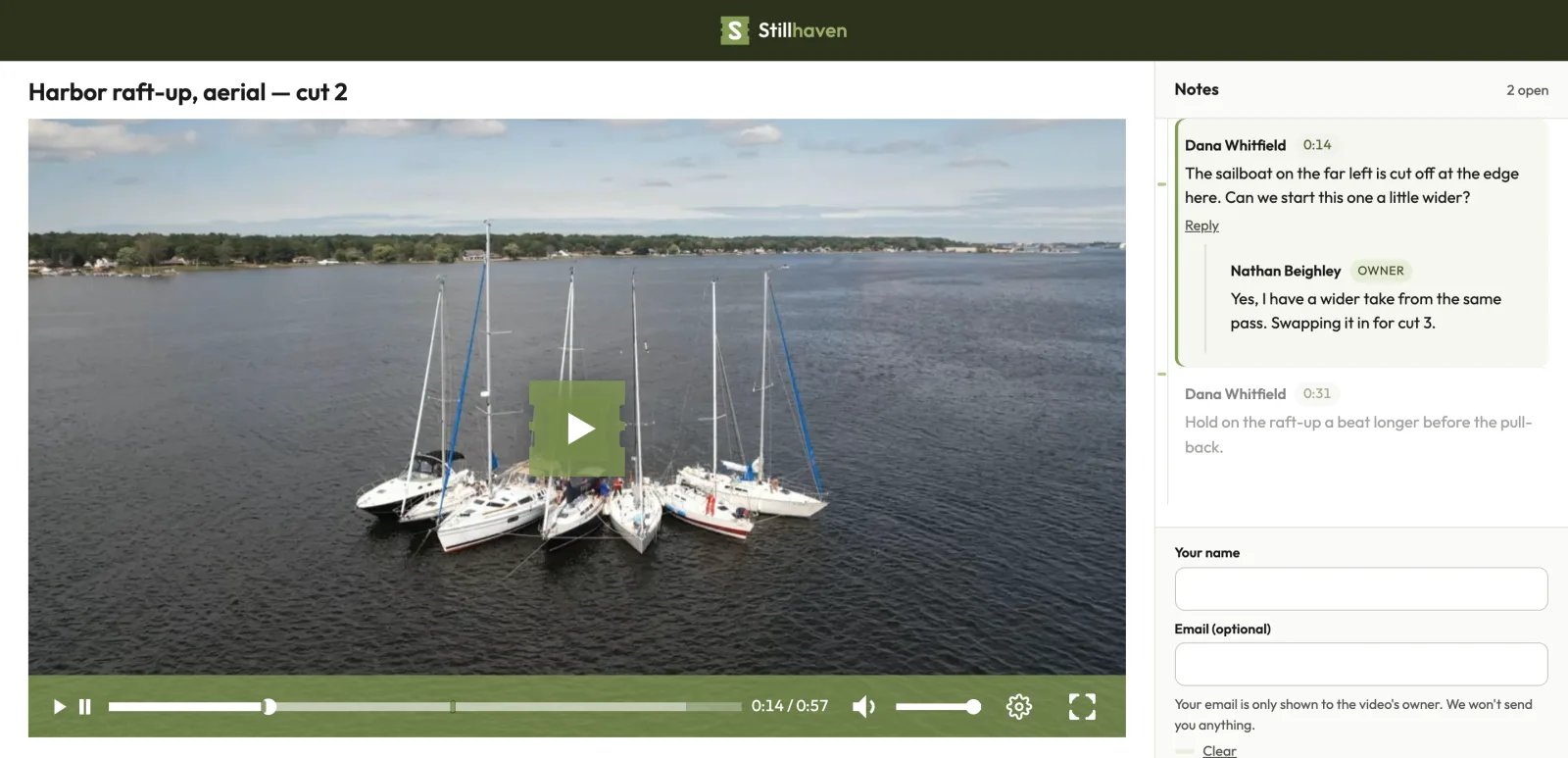
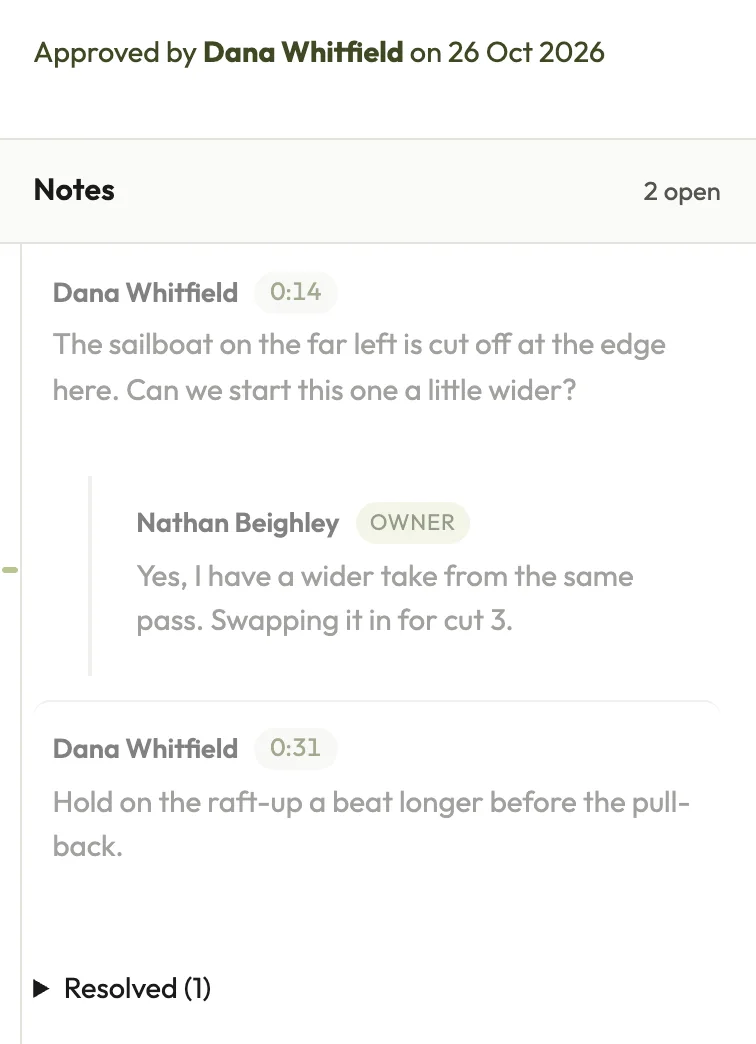
You reply to a note or resolve it. The client sees what is done and what is still open. Send cut two the same way, and keep cut one's page as the list: its notes stay there, with the resolved ones set apart, so you can check the new cut against them.
One thing to know: a video takes review notes or open comments and reactions, not both. For a client cut, turn on review.
Video approval: the client signs off
When the cut is right, the client signs off on the page with a name and an email. You get an email the moment they do, and the approval is recorded on the video in Stillhaven with who approved it and when. If a question comes up later about which cut was approved, the answer is there, not somewhere in an email thread.
Review and approval is on every Stillhaven plan, Solo included. The details are on the client review page.
When the client needs the file
Proofing is about watching, not delivery. Once the client has signed off, they often need the finished file: for their editor, their website, or their records.
In Stillhaven, a video's settings include Allow download on share page. Turn it on and the share page gets a Download button, so the client can save an MP4 of the video. That is the copy made for streaming, not your original file. When the client needs the original, download it from the console and send it with a cloud drive or a transfer service.
The short version
- Video proofing is sending a cut, getting notes, and getting a yes.
- Share the cut privately: a private video link that expires, with a password if the client forwards things.
- Get the feedback on the video, pinned to the second, not in an email.
- Have one place where the client signs off.
- Once they have, let them download an MP4 from the same page, or send the original with a cloud drive link.
Stillhaven is at stillhaven.io. Every monthly plan starts with 14 days free.