For course creators
Lessons that stay in your course
Host your videos on Stillhaven, embed them in your course platform, and lock playback to your domain. Students watch your lesson, not someone else's.
Why not just use YouTube?
The player keeps students on YouTube
An unlisted lesson still ends with related videos: your own channel's if you set the player up for it, anyone's if you did not. The logo and title link to youtube.com, where the sidebar is other people's videos. Your lesson becomes a doorway out of your course.
Unlisted is not private
Anyone with the link can watch, share, or repost it. A paid lesson should not be one forward away from free.
It is not your brand
The player, the logo, and the ads belong to the platform. Your course should look like your course.
What you get
Private by default
Every upload starts private. Nothing is listed, indexed, or recommended. You decide where it plays.
Domain-locked embeds
Set the domains allowed to play each video. Paste the embed on your course site and it plays there. Paste it anywhere else and it does not. Included on every paid plan.
A clean player
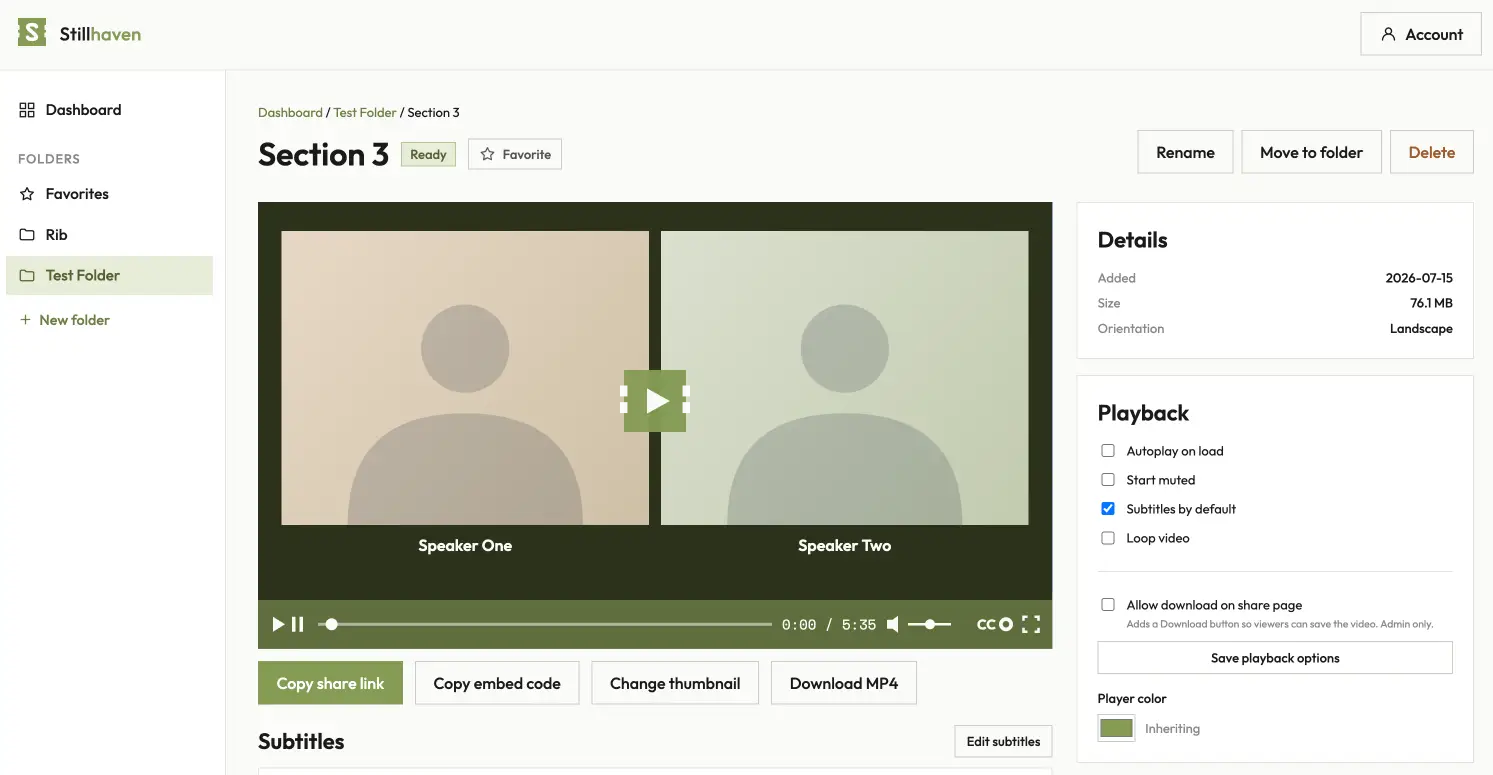
Captions, speed control, and a plain interface. No ads, no related videos, nothing after the last frame, and no link that leads anywhere but your site.
Works where your course lives
Standard embed code that drops into Teachable, Kajabi, WordPress, Webflow, Circle, or any page that accepts an iframe.
Allowed domains
Your lesson plays on your site and nowhere else.
List the domains where a lesson may play. Anyone who lifts the embed code from your page and pastes it somewhere else gets a quiet blocked screen instead of your video. Turn the public share page off, and the embed is the only way in.
Allowed domains and share-page passwords are on every paid plan.
Your brand
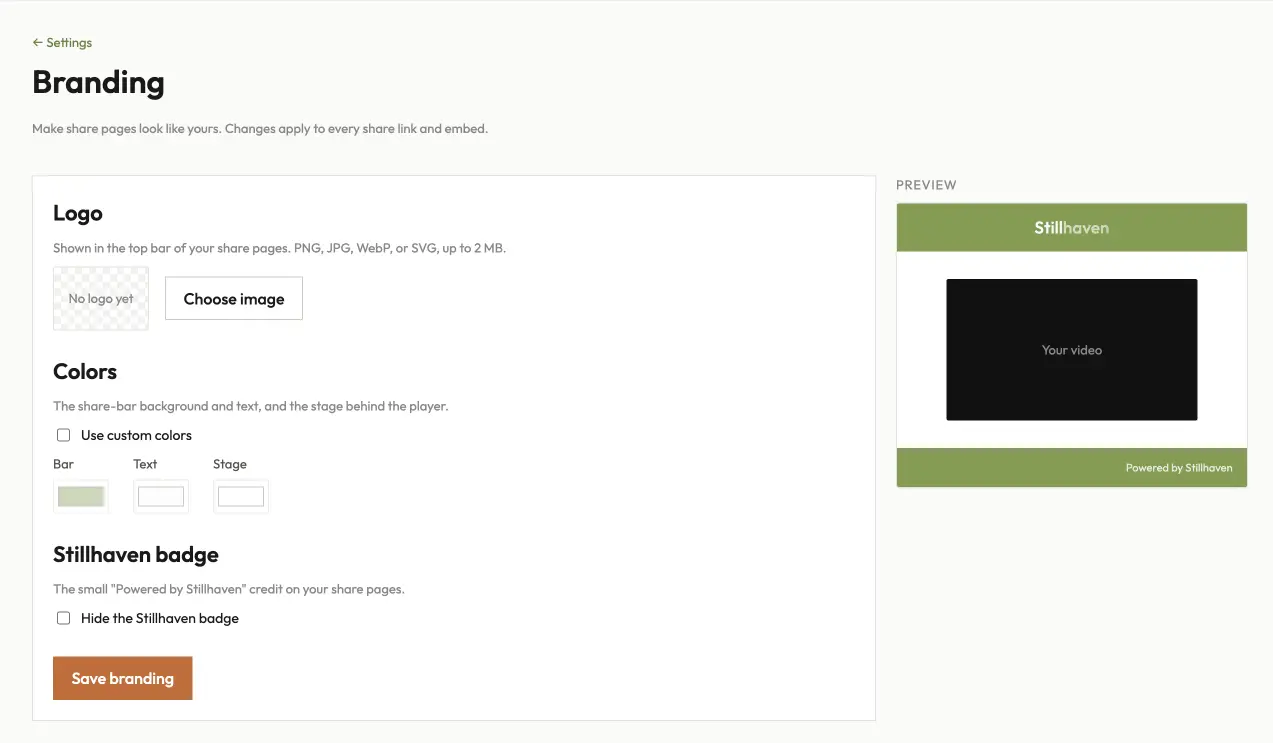
A player that looks like your course.
Add your logo, set your colors, and remove the Stillhaven badge. Turn captions on by default for lessons where they help, and set autoplay, loop, or start-muted per video.
Logo, colors, and badge removal are on every paid plan.
Channels
Bundle a course into a private channel.
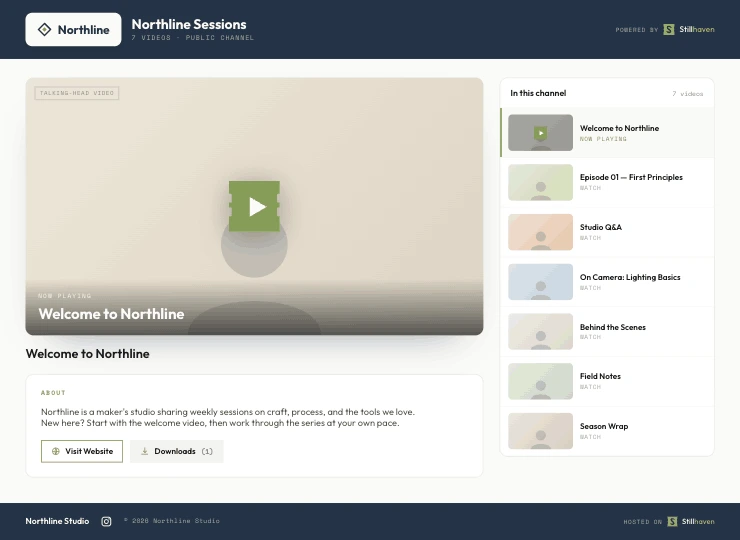
Put a series of lessons on one branded page at your own URL. Keep it public, or make it private: students are invited by email, sign in with a magic link, and you see who has watched which lesson and how far they got.
Channels start on Creator. Private channels with invites start on Studio.
Cancel in your CRM, and the same webhook removes them.
Your CRM
Let your CRM open and close the door.
When someone buys, your CRM adds them to the course channel. When they cancel, it removes them. Each channel has its own add and remove webhook URLs that any CRM can call, and a REST API for your own build.
The API and webhooks are on every paid plan; they add students to private channels, which start on Studio.
Analytics
Know which lessons land.
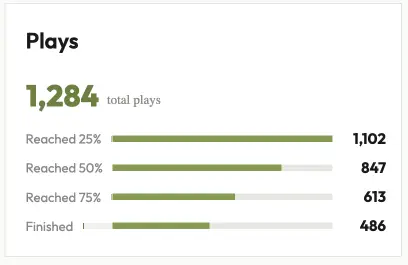
Every lesson reports plays and how far people got: a quarter, half, three quarters, or the end. In a private channel you also see it per student: who has watched which lesson, who finished, and who has gone quiet.
Three steps
- Upload your lesson.
- Add your course domain to the allowed list.
- Copy the embed code and paste it into your lesson page.
Common questions
Can students download my videos?
Does it work with Circle?
Do captions work?
Can I record a lesson without other software?
Can students ask questions on a lesson?
Can I sell a course as a private channel?
What happens if I move platforms?
Is there a free plan?
Keep your lessons in your course
Free forever, no credit card. Up to 30 minutes of new video a day.